Receive XRP
A short XRP Mobile walkthrough: open Receive, pick XRP, and share your deposit address or QR code. We cover the XRP Ledger network warning that catches people out, and the 1 XRP minimum that a brand new XRPL account needs before it exists on the ledger. XRP Mobile is a self custody wallet where you can buy, send, receive and swap XRP.
Someone owes you XRP. Here is exactly where to tell them to send it, and the two things that go wrong if you get it wrong.
Prefer to read? The steps below are the same walkthrough, 5 screens and 47 seconds of video.
1. Tap Receive
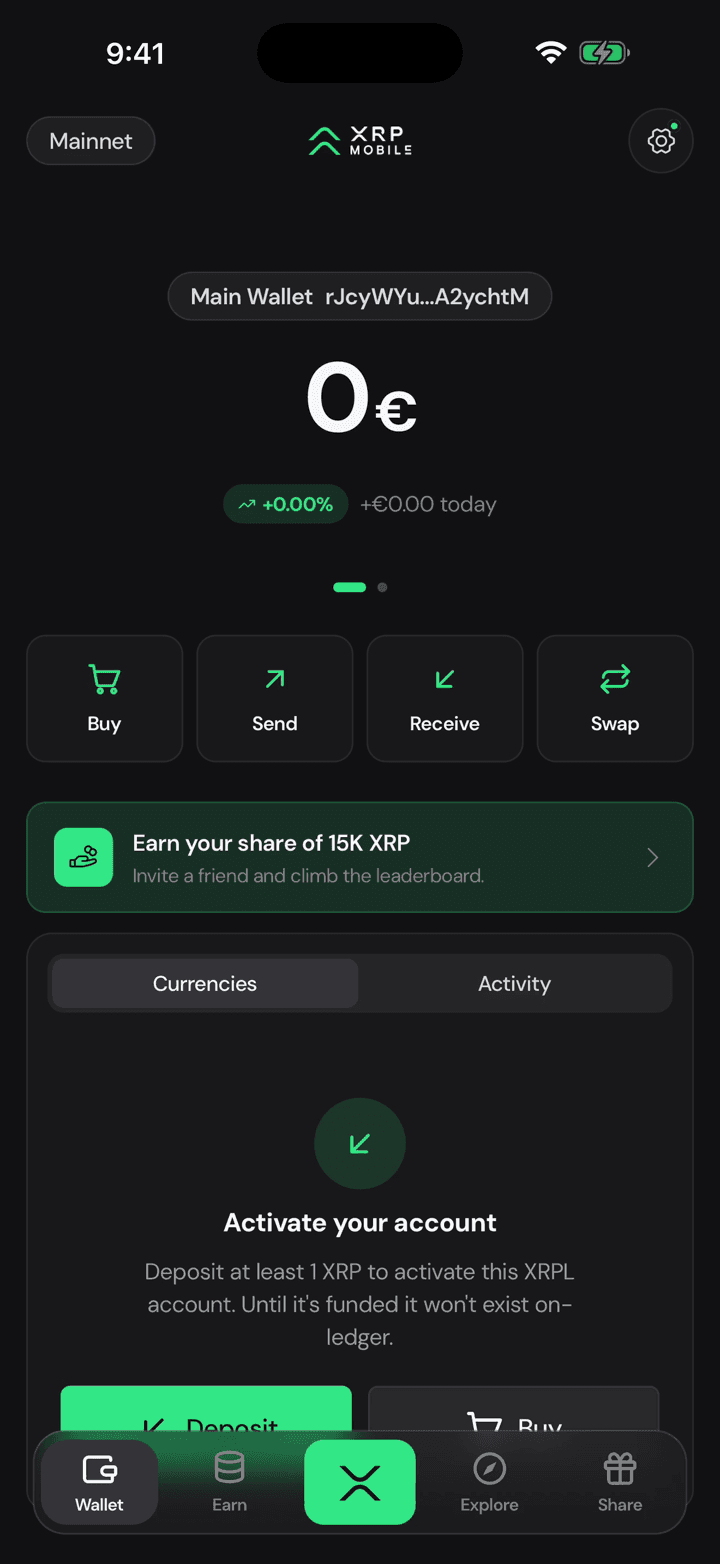
From the wallet home, tap Receive. Nothing here costs anything: an address is just where funds land.
2. Pick the asset
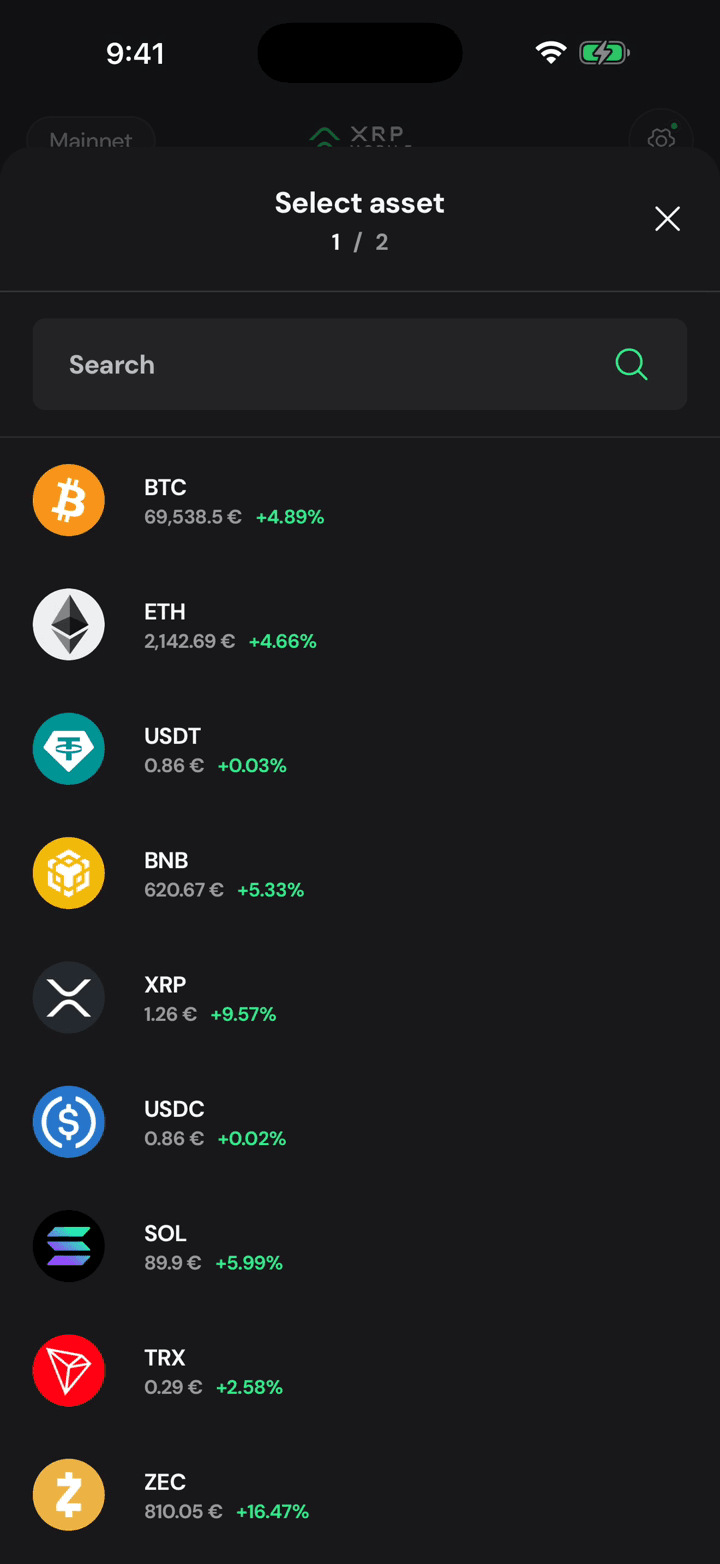
Pick the asset you're expecting. XRP Mobile holds more than XRP, and every asset has its own deposit address, so choosing the right one matters.
3. One asset, one network
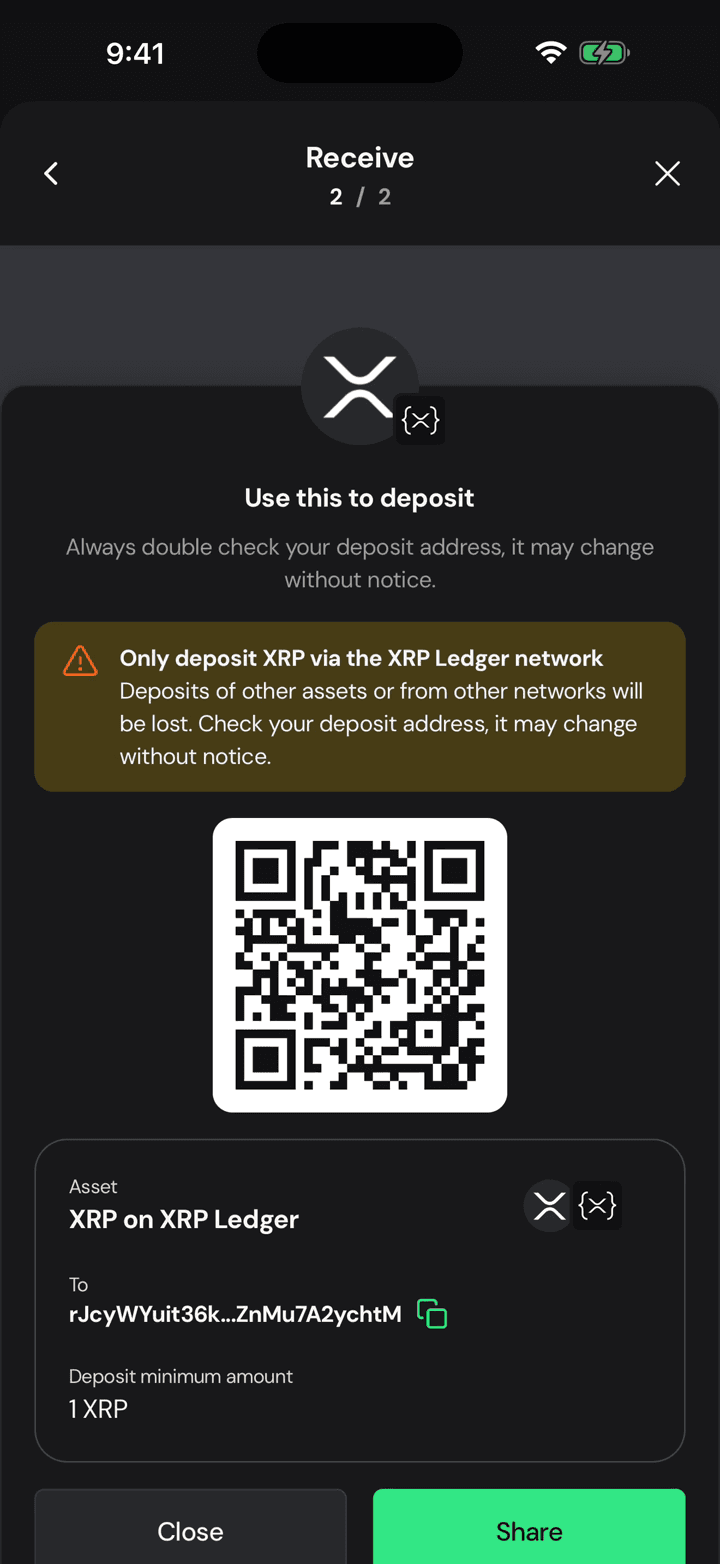
Read the warning. This address takes XRP on the XRP Ledger and nothing else. Anything sent on another network is gone, and no one can get it back.
4. Your address and QR
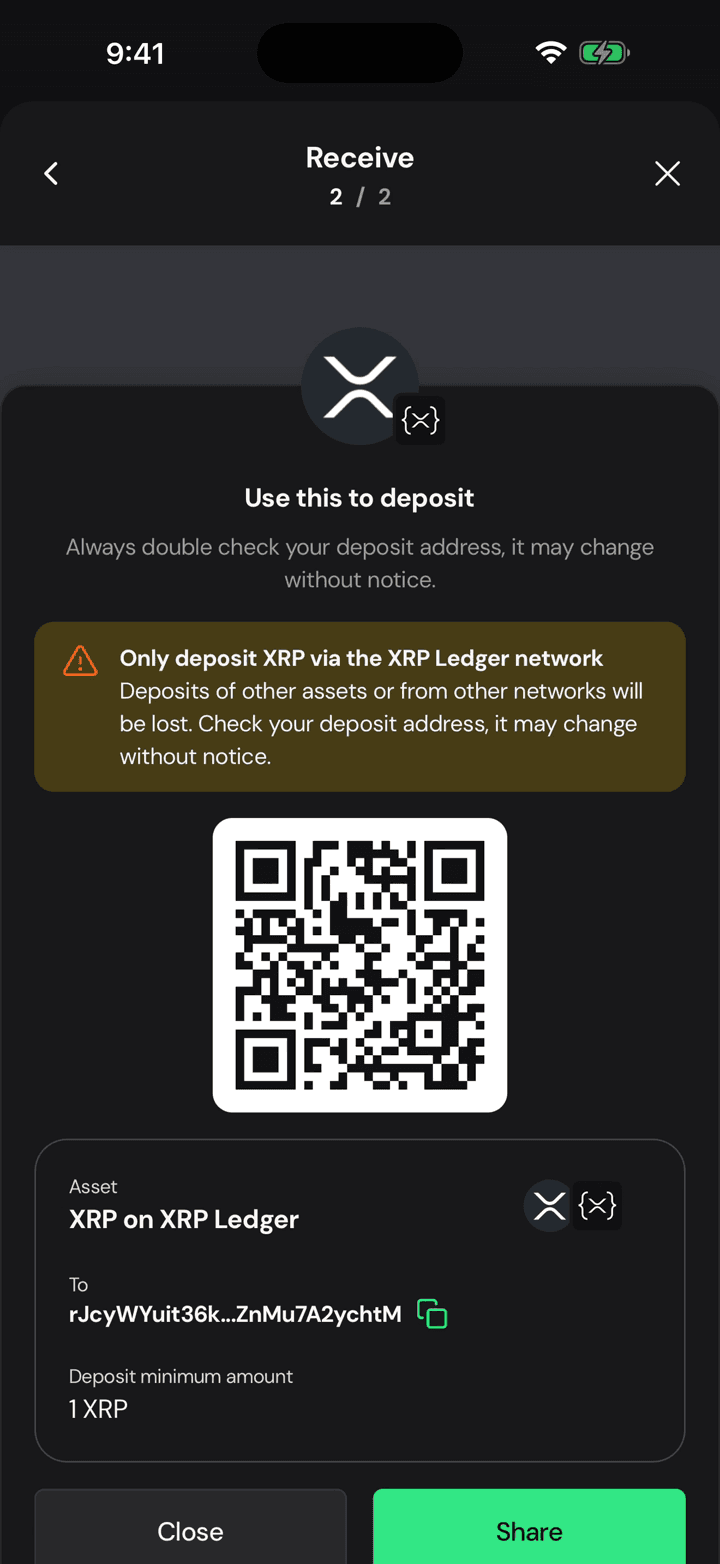
Here is your address, with a QR for anyone standing next to you. Copy it or share it, and always check the first and last characters against what the sender typed.
5. At least 1 XRP the first time
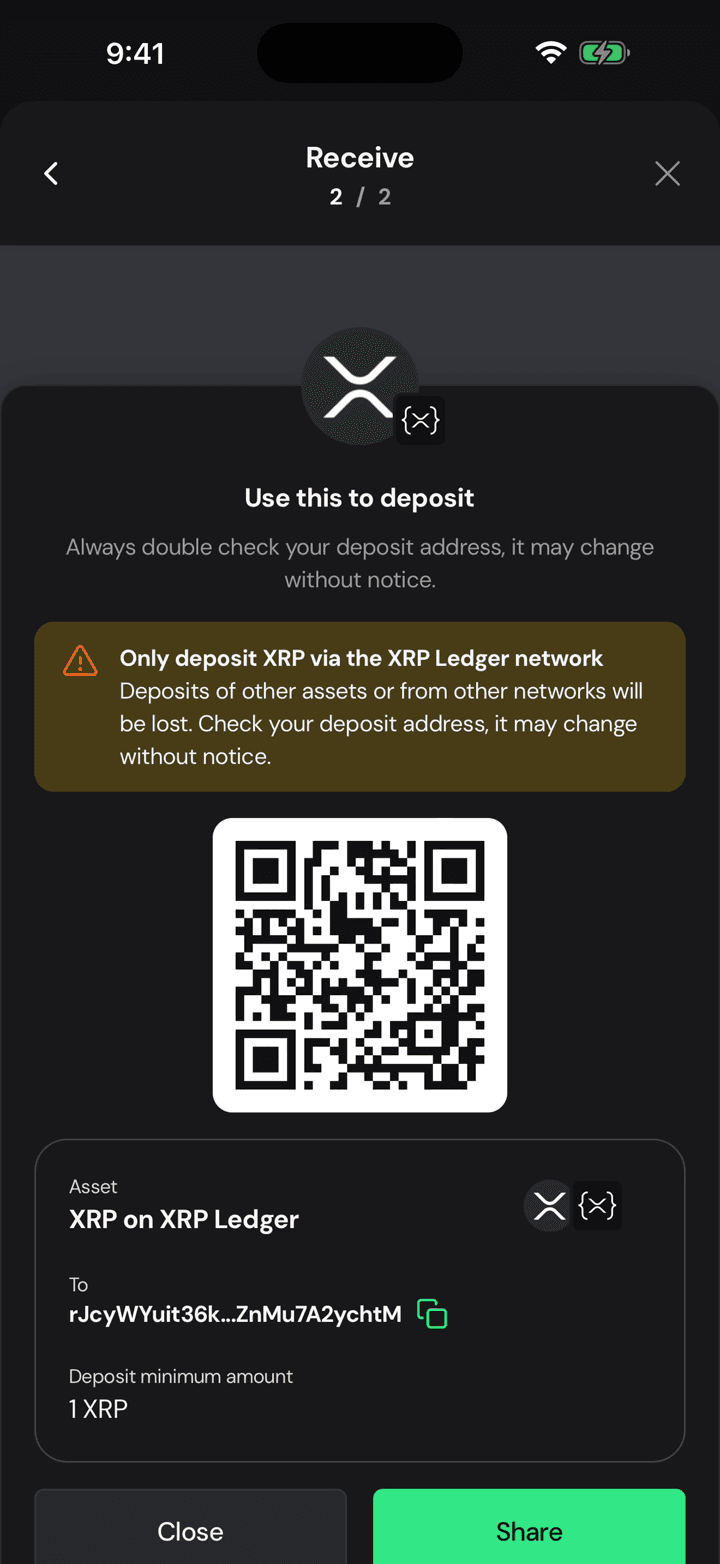
One catch on a brand new account: the first deposit has to be at least 1 XRP. That is the reserve the XRP Ledger asks for to let your account exist.
Back up your wallet the right way
Step by step XRP Mobile tutorial: back up your wallet from Settings, Security. Pick the wallet, choose the recovery phrase over the private key, pass the three question quiz, confirm with your PIN, and write the 12 words down on paper. Nobody from XRP Mobile will ever ask you for them.
Buy XRP with a card
Short XRP Mobile tutorial: buy XRP with a credit or debit card. Pick an amount, watch the live quote update, and read the full breakdown before committing: the rate, the provider's fee, how much XRP actually reaches your wallet, and how long it takes. The card details are entered with the third party provider, never inside the wallet.