Deposit from another chain
Short XRP Mobile tutorial: bring an asset in from another blockchain. Pick what you are depositing, pick the network it is coming from, and read the deposit address the wallet generates for that exact pair. Why the same USDC needs a different address on Base than on Solana, what happens if you send the wrong token or use the wrong network, and why you should check the address every time instead of reusing a saved one.
Your USDC is sitting on Base, or Solana, or Ethereum, and your wallet lives on the XRP Ledger. Here is how to bring it across, and the one mistake that loses it.
Prefer to read? The steps below are the same walkthrough, 5 screens and 52 seconds of video.
1. Tap Receive
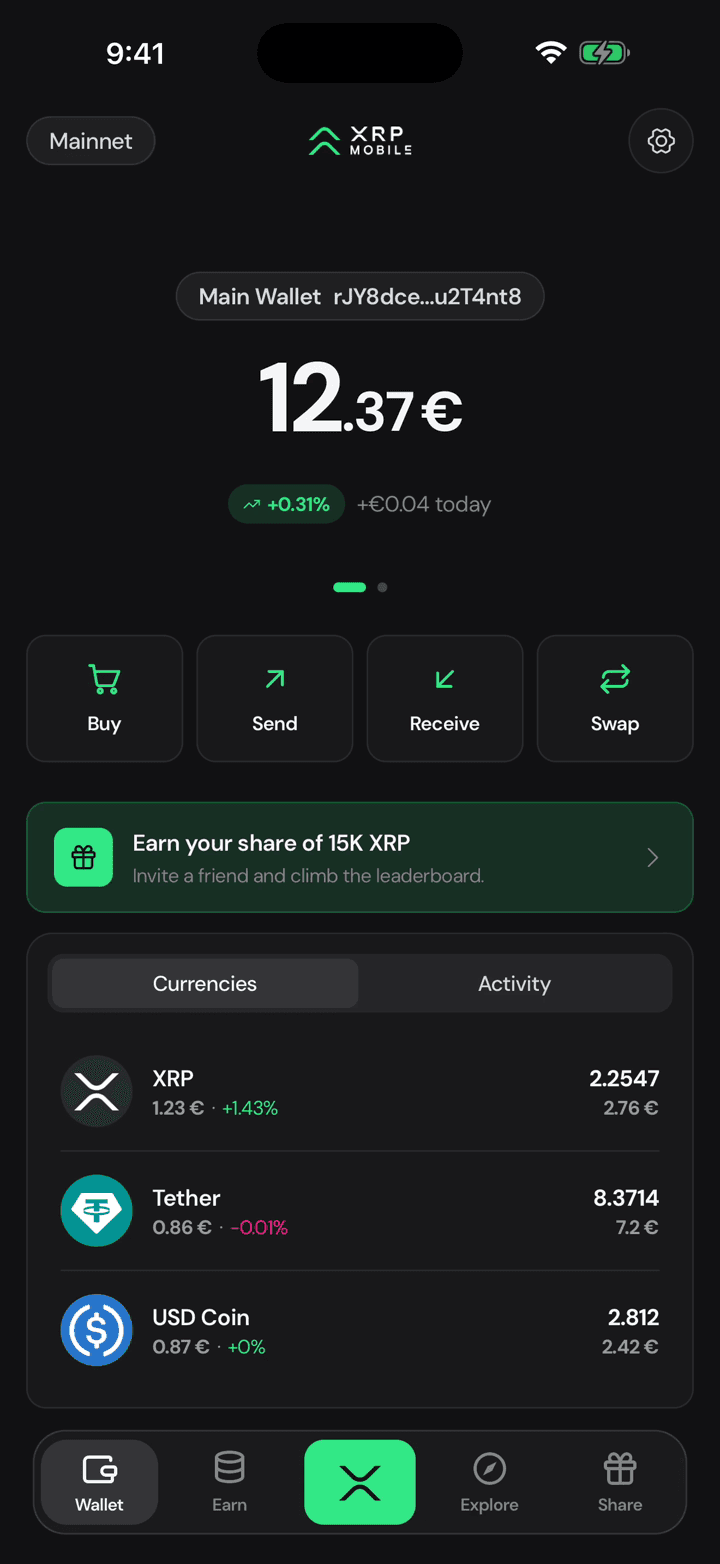
It starts where any deposit starts: Receive, on the wallet home.
2. Pick the asset
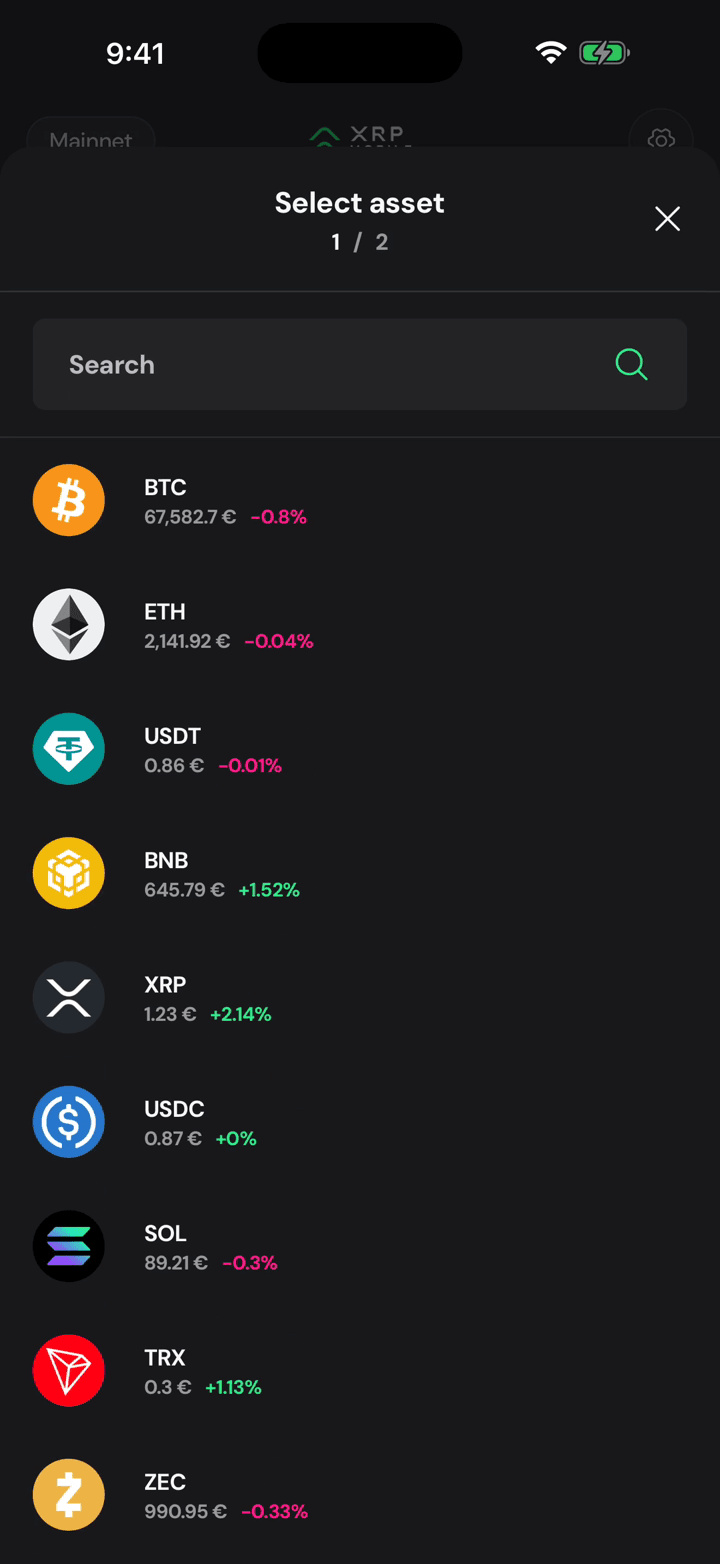
The wallet holds more than XRP. Bitcoin, Ether, the stablecoins, Solana: pick the one that is coming in.
3. Pick the network
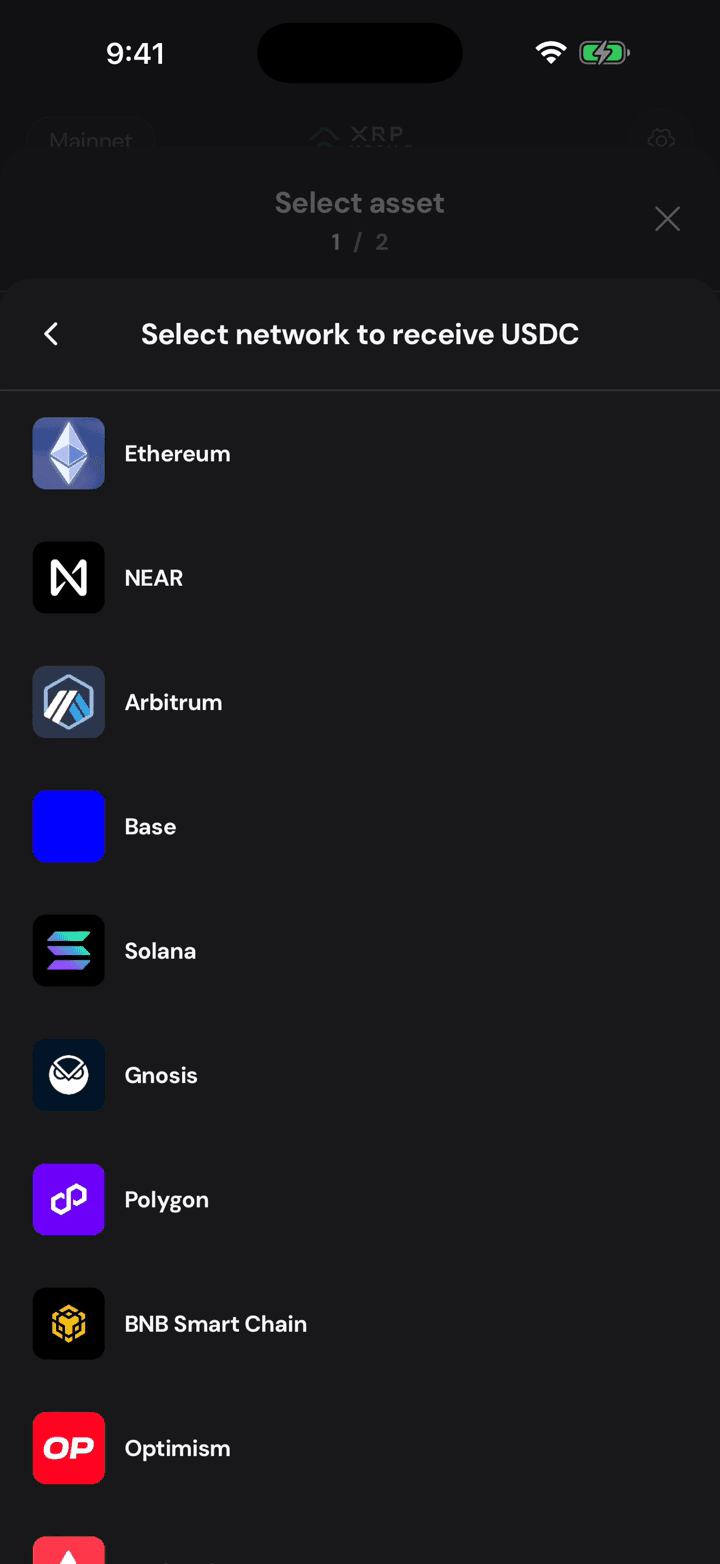
Then the network it is coming from, and this is the part that matters. The same USDC exists on Ethereum, Arbitrum, Base, Solana and half a dozen others, and each one needs a different deposit address.
4. One asset, one network
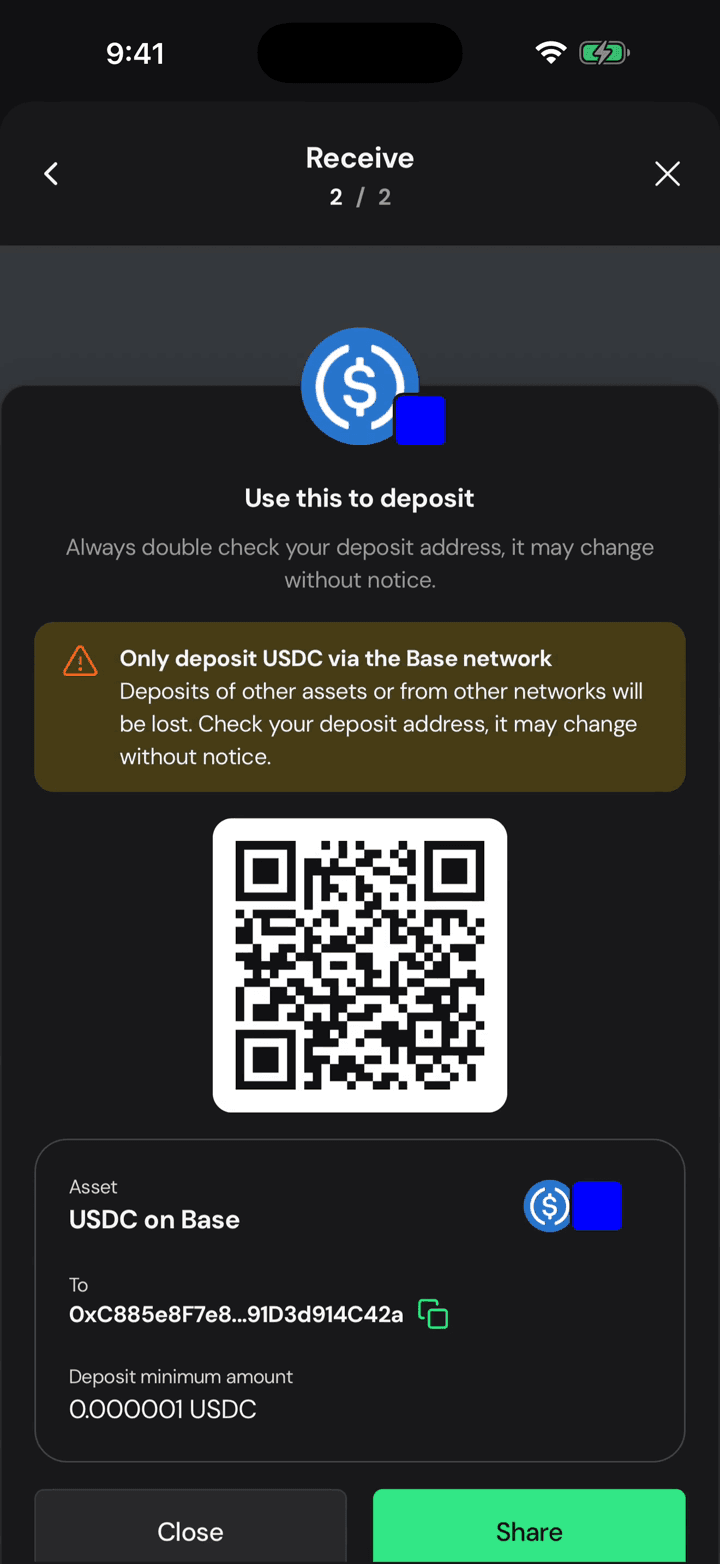
So read the warning. This address takes USDC on Base and nothing else. Send another token, or the right token on the wrong network, and it is gone: nobody can reverse it and nobody can recover it.
5. Your deposit address
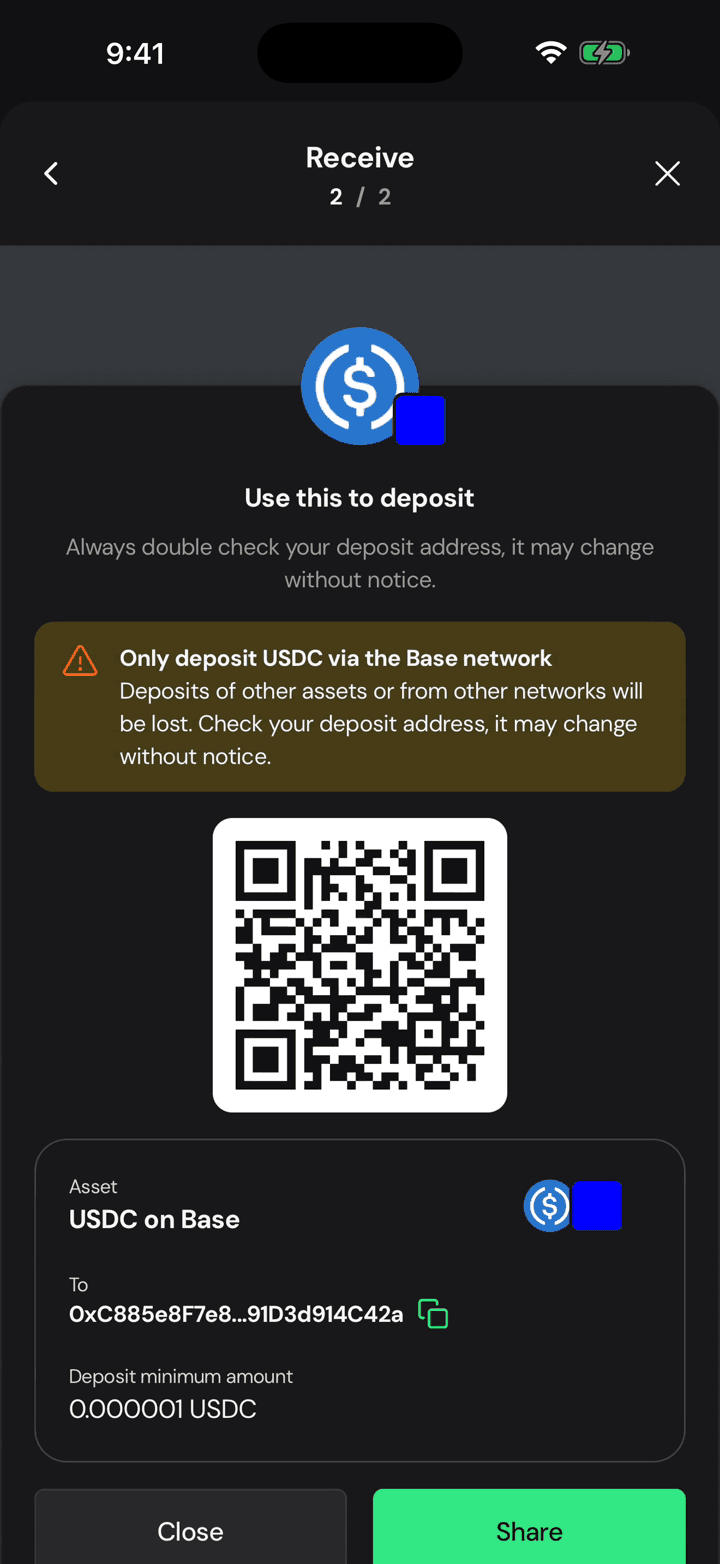
Copy the address or show the QR, and check it every single time. It is generated for this asset and this network, and it can change between deposits, so never reuse one you saved last month.
Send with a destination tag
Short XRP Mobile tutorial: send XRP with a destination tag. What a destination tag actually is, why exchanges need one when personal wallets do not, where to find yours on the exchange's deposit page, and what the transaction looks like once the tag rides along with it. Ends with the transaction hash, the one thing support will ask for if a deposit goes missing.
Send to another chain
Short XRP Mobile tutorial: send a multichain asset out to another blockchain. Choosing USDC turns the recipient row into a network picker, the address field changes to the format that chain expects, and the summary shows what the recipient actually receives after the routing cost. The transfer settles in three legs, each with its own hash, which is why it takes longer than a payment on the XRP Ledger. Includes the warning about sending to exchanges from a third party.