Switch the app language
Short XRP Mobile tutorial: change the app language from Settings. XRP Mobile ships fully translated in 13 languages, and the switch is instant. Your wallet, your keys and your balances are untouched.
Your wallet does not have to be in English. XRP Mobile ships in 13 languages, and switching takes two taps.
Prefer to read? The steps below are the same walkthrough, 4 screens and 19 seconds of video.
1. Open Settings
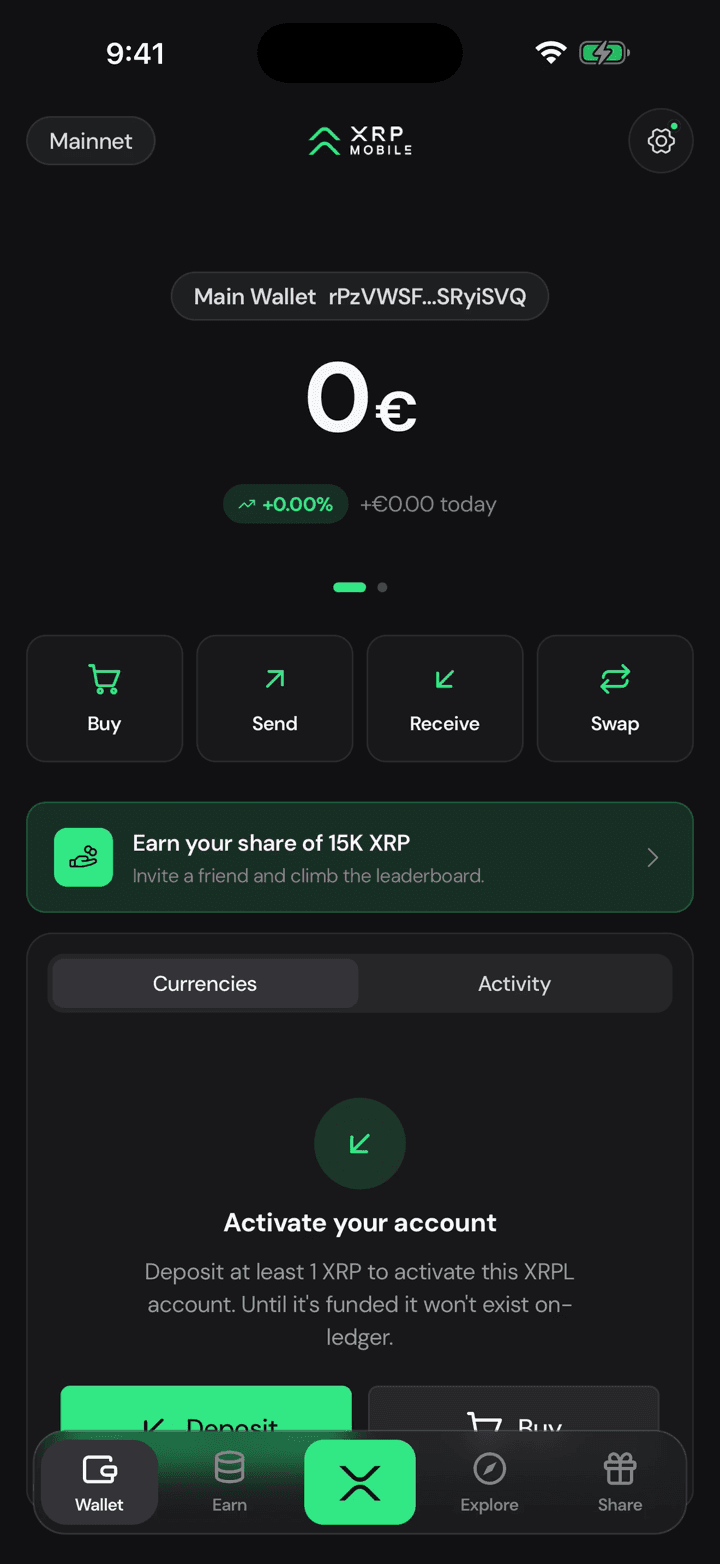
Tap the gear, and stay on General.
2. Tap App language
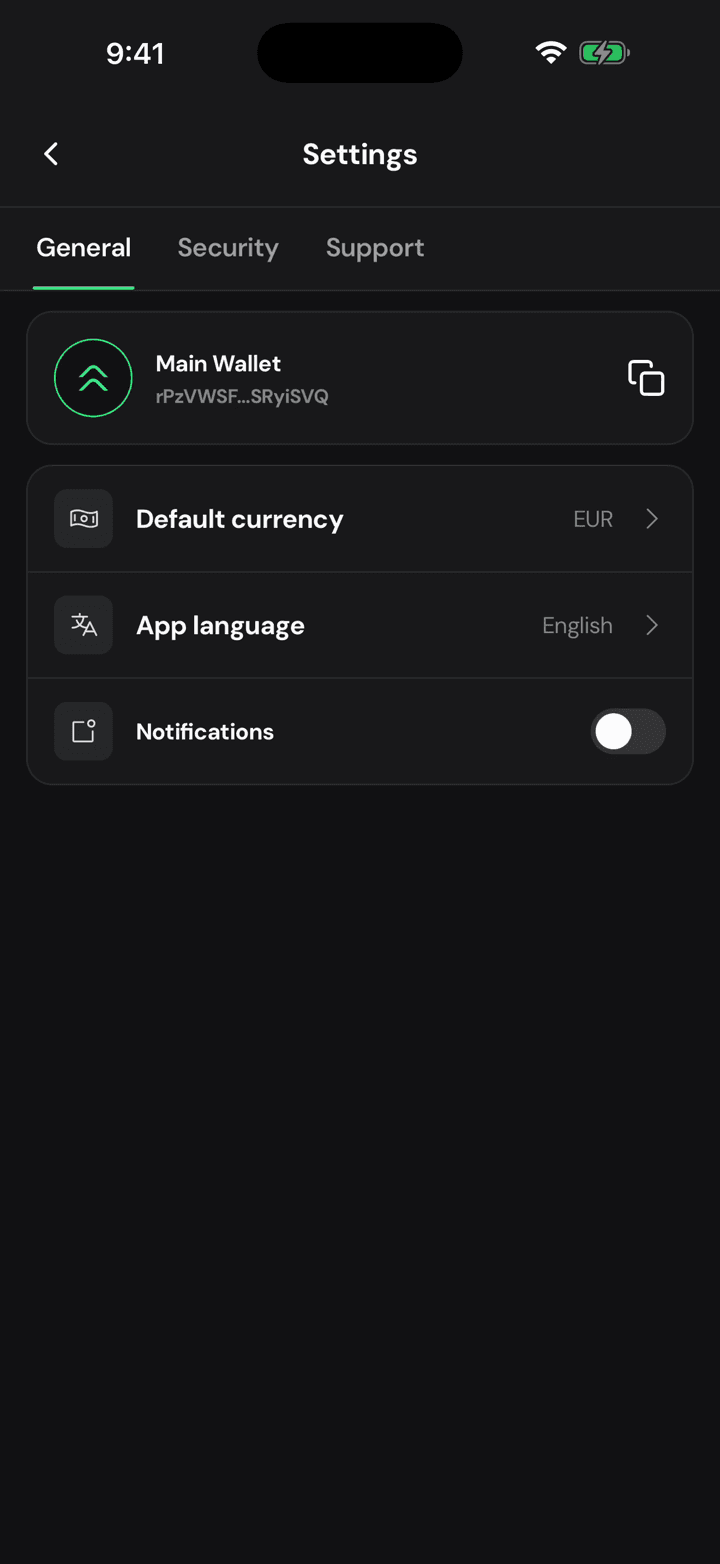
Tap App language. This changes the app only. It does not touch your wallet, your keys or your balances.
3. Pick yours
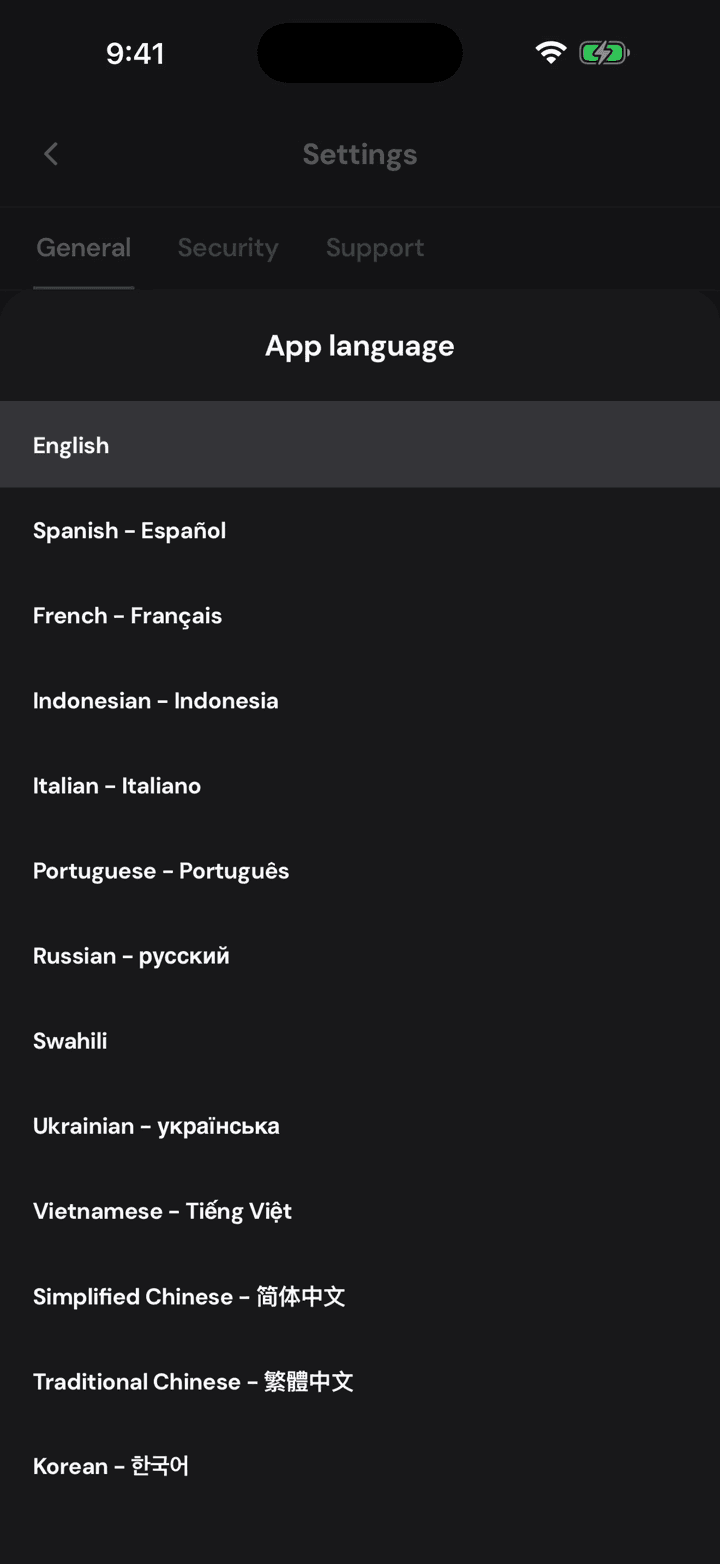
Pick yours from the list. Thirteen languages ship with the app, translated in full.
4. The whole app follows
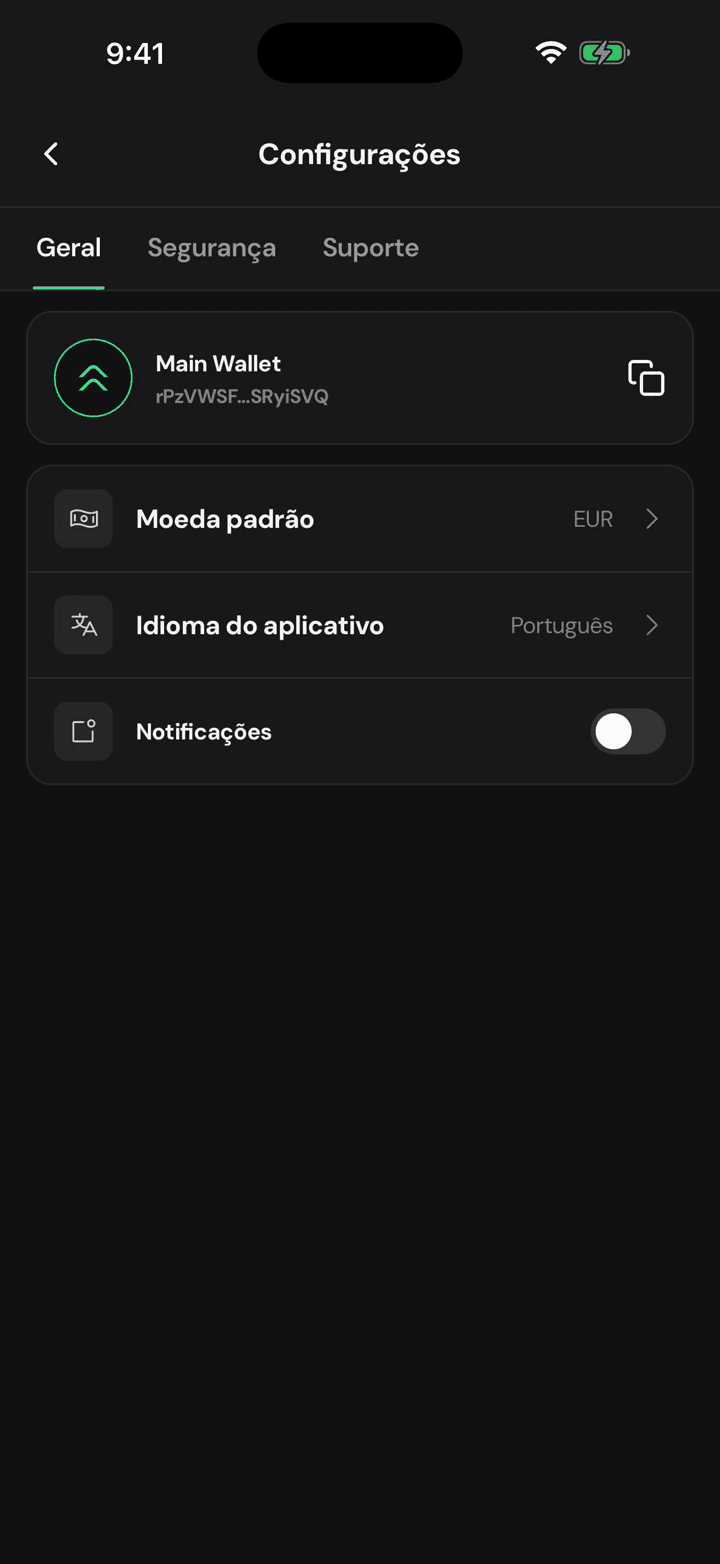
And the whole interface comes back in it, right away, with nothing to restart.
Change your default currency
Quick XRP Mobile tutorial: change the app's default currency from Settings and watch every balance follow. The selector shows each currency's code, name and symbol, and the search matches names too, so switching takes seconds. Your holdings never change, only what they are priced in.
Turn notifications on after saying no
Short XRP Mobile tutorial: turn notifications on from Settings, General, after skipping them during setup. The switch hands over to iOS, which only asks for this permission once per install, so if you denied it long ago you have to allow it from the phone's own settings instead.