Add a second wallet
Short XRP Mobile tutorial: add another wallet from the home carousel. Create a brand new one or import an existing one, keep balances separate, and switch between them with a swipe. Creating an extra wallet is the one place the app lets you choose between a 12 word recovery phrase and 8 rows of secret numbers.
Keeping your spending money apart from the rest is easier when they are different wallets. XRP Mobile holds as many as you want.
Prefer to read? The steps below are the same walkthrough, 3 screens and 27 seconds of video.
1. Swipe past your wallet
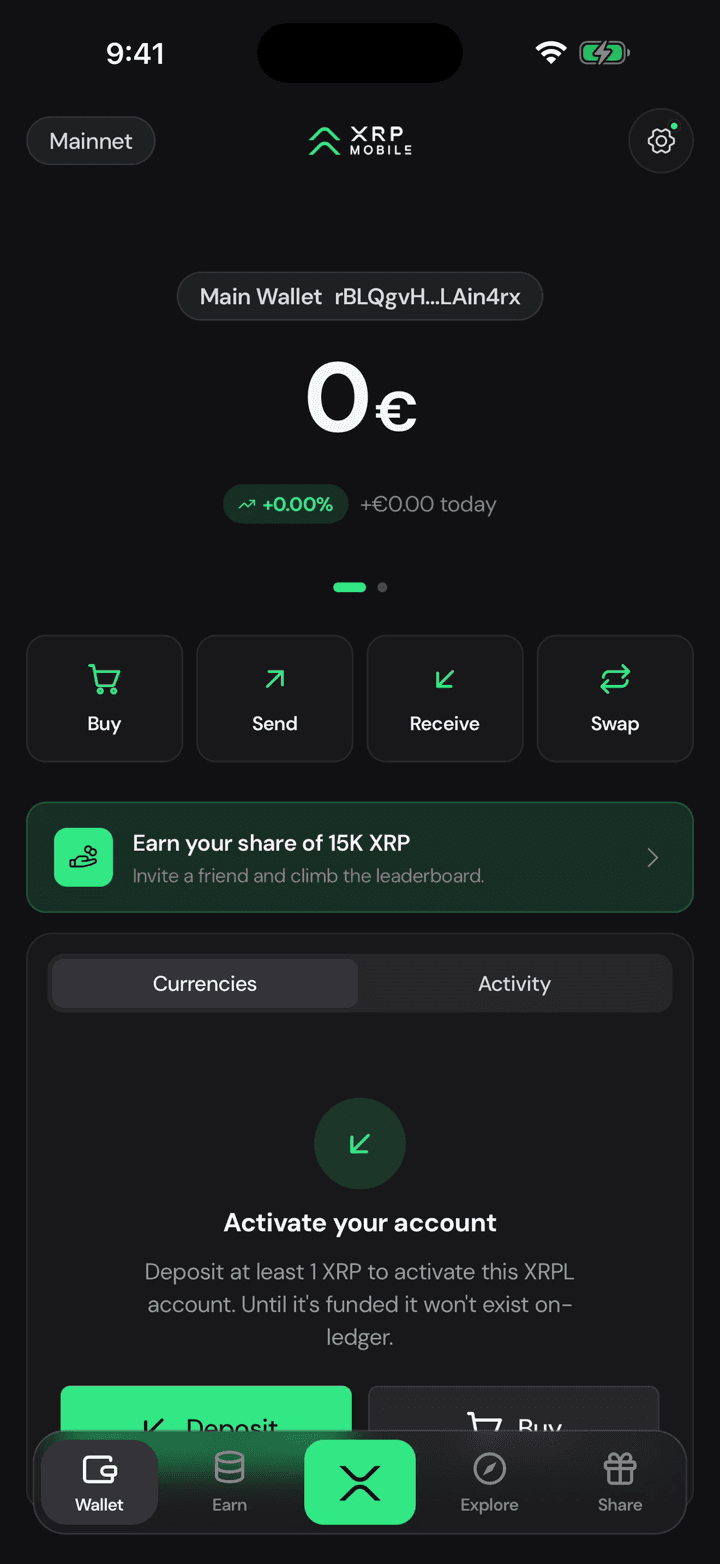
Your wallets live in a carousel on the home screen. Swipe past the last one to reach the add slide.
2. Create or import
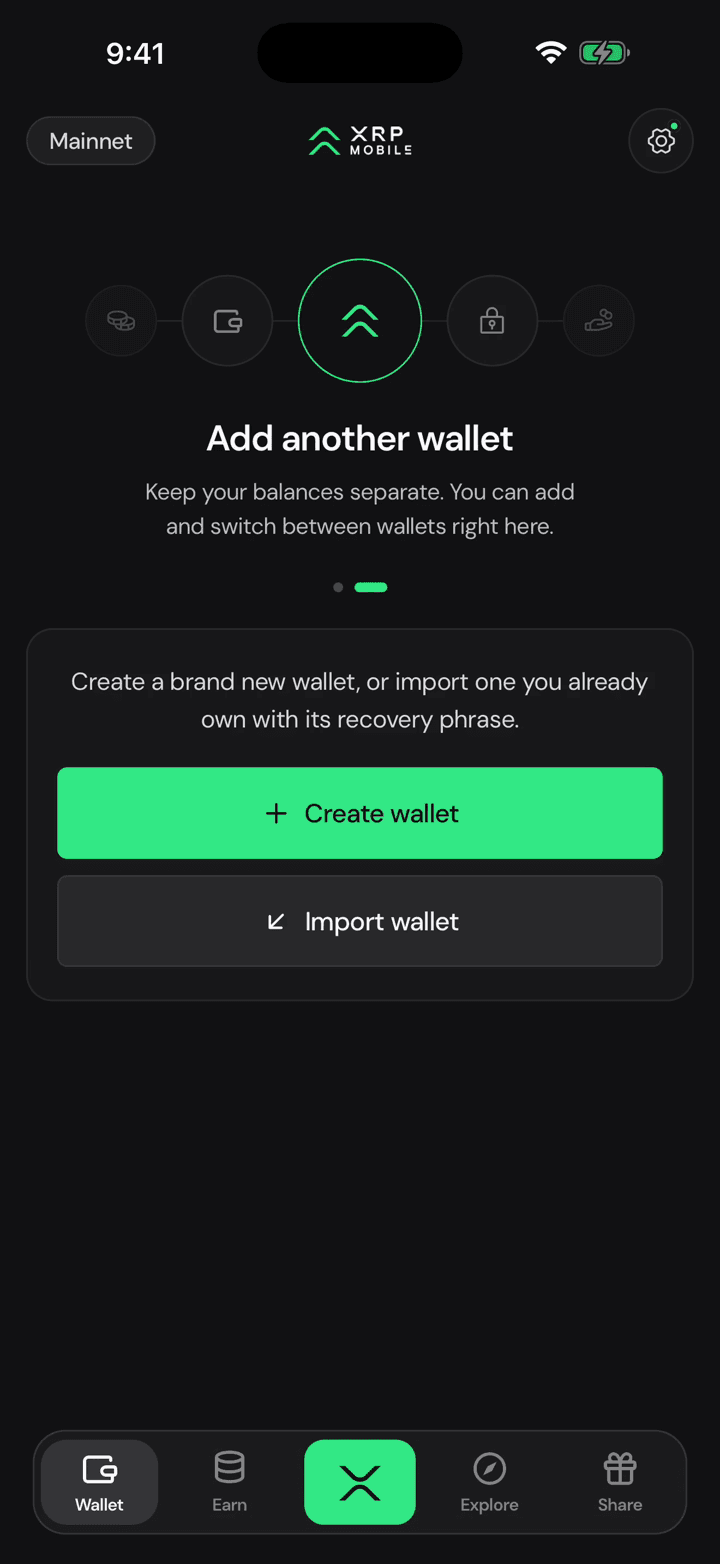
You can make a brand new one, or bring in a wallet you already own with its recovery phrase. Balances stay separate and you switch between them with a swipe.
3. Phrase or secret numbers
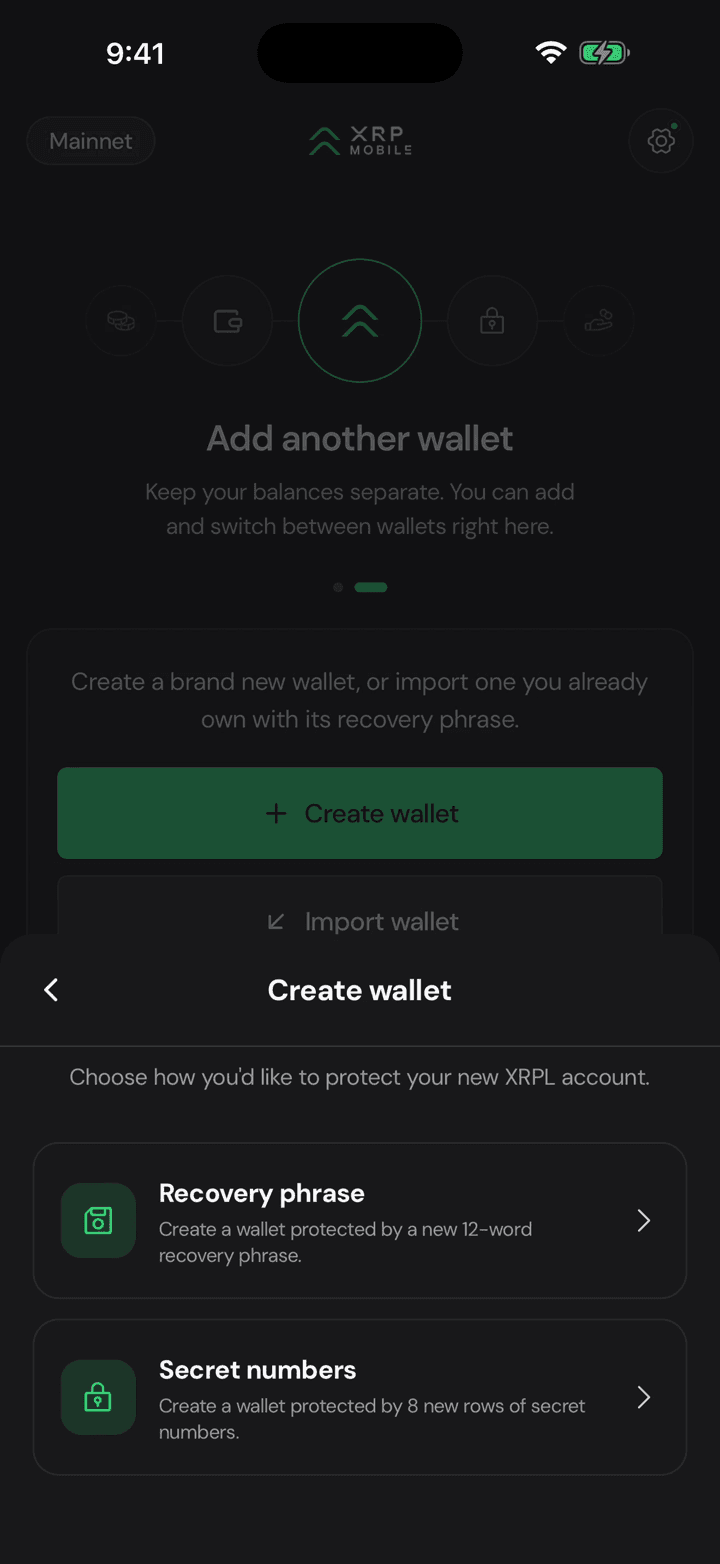
And here is the part only this screen offers: a new wallet can be protected by a 12 word recovery phrase, or by 8 rows of secret numbers, the format Xaman users already know.
Import your Xaman account with secret numbers
Step by step XRP Mobile tutorial: import an existing XRP Ledger account using the 8 rows of secret numbers that Xaman gives you as a backup. Type the rows in order, watch each one validate its own checksum, set a device PIN, and the account comes back with the same address and balance. Never share your secret numbers with anyone.
Back up your wallet the right way
Step by step XRP Mobile tutorial: back up your wallet from Settings, Security. Pick the wallet, choose the recovery phrase over the private key, pass the three question quiz, confirm with your PIN, and write the 12 words down on paper. Nobody from XRP Mobile will ever ask you for them.